VectorCraftVector illustration in your browser
Vector illustrationVector illustration, reimagined in pure Rust.
About VectorCraft
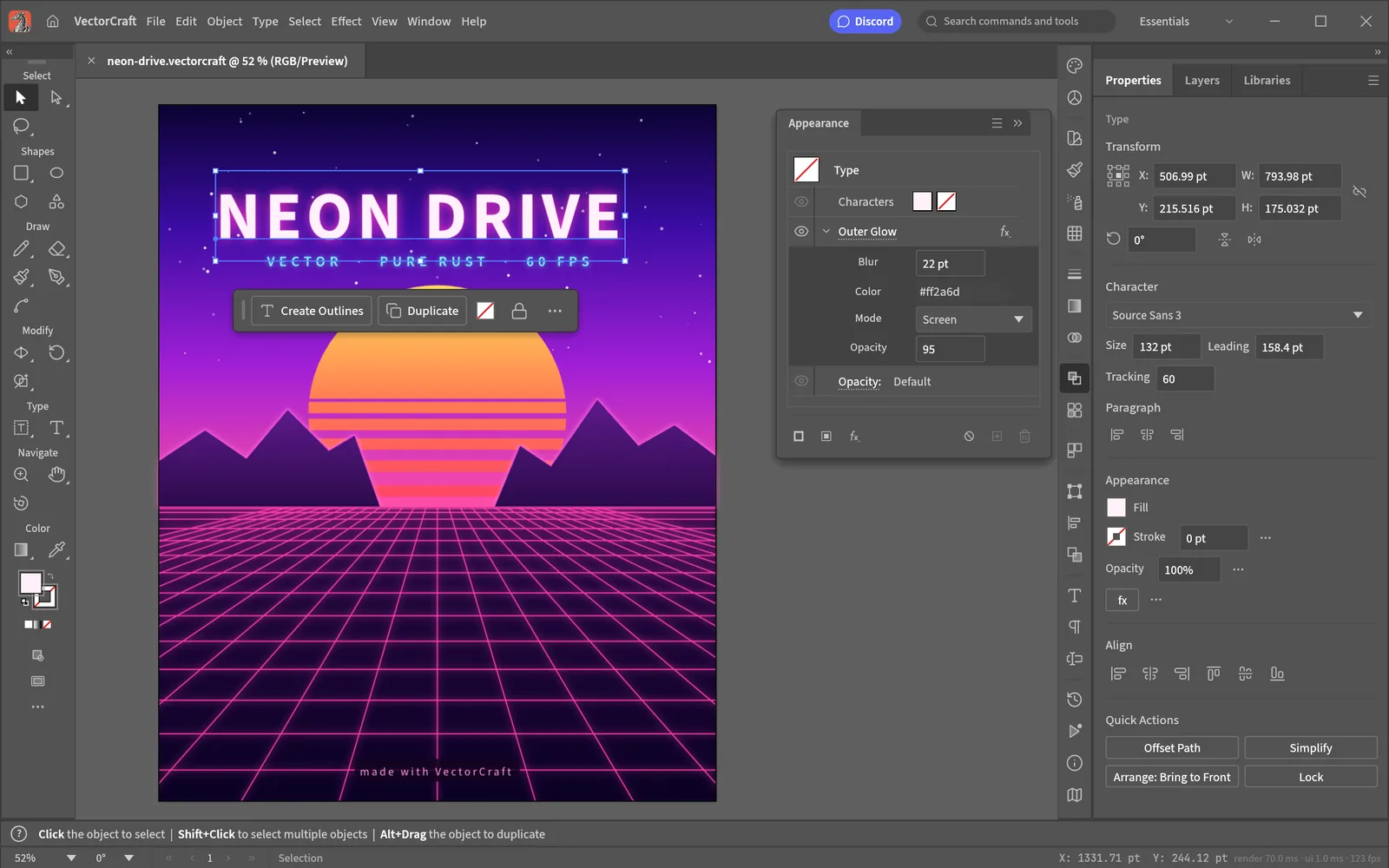
The pen, panels and shortcuts working illustrators expect, in a native app that keeps up with you. Open source, and in your browser too.
Key Features
Pen, direct selection, shape booleans, snapping guides and an appearance panel, laid out the way you expect.
A GPU-accelerated canvas at full retina resolution, built for large multi-path drawings.
Exact curve booleans mean no more âcannot perform operationâ. Unlimited undo means no more fear.
Blends, envelope distort, gradient mesh, live radial, grid and mirror repeats, glows and drop shadows â all still editable.
Native JSON documents, SVG and PDF import and export, PNG, JPEG and WebP output, and multi-size export for screens.
Your Files Stay on Your Device
Zero File Uploads
Completely private and offline-capable. No telemetry or vector art is sent over the network. All processing is computed in your browser using local device memory.
Saving & Exporting
Save your vector drawing at any time via File → Export SVG or download .vcraft project files. Work buffers stay in browser localStorage and are exported directly to your computer.
Common Tasks & Solutions
Draw & Edit Clean SVG Graphics
Precision pen tool, bezier handles, snapping guides, and appearance panels for web illustrations and icons.
Reliable Boolean Operations
Exact curve booleans that never fail or degrade path accuracy, backed by unlimited undo history.
Export Ready-to-Use Vector Assets
Export clean, optimized SVGs, resolution-independent PDFs, and crisp multi-scale PNG icons for apps and web.
High-Performance Canvas
Made for complex illustrations — many layers of vector shapes, edited directly on the canvas in the browser.
Frequently Asked Questions
Can I open and export SVG files in VectorCraft?
Is VectorCraft a free alternative to Adobe Illustrator?
Can I use VectorCraft offline without internet?
Specifications
Companion Creative Applications
Part of the integrated Plasa creative suite. Easily round-trip your assets across these local-first tools:
PhotoCraft
Image editorThe image editor you already know how to use.
FigCraft
UI / UX interface designInterface design, rebuilt in pure Rust.

DesignCraft
Page layout & publishingPage layout and publishing, rebuilt in pure Rust.