
SoundCraftDigital audio workstation in your browser
Digital audio workstationProfessional audio recording and mixing, rebuilt in pure Rust.
About SoundCraft
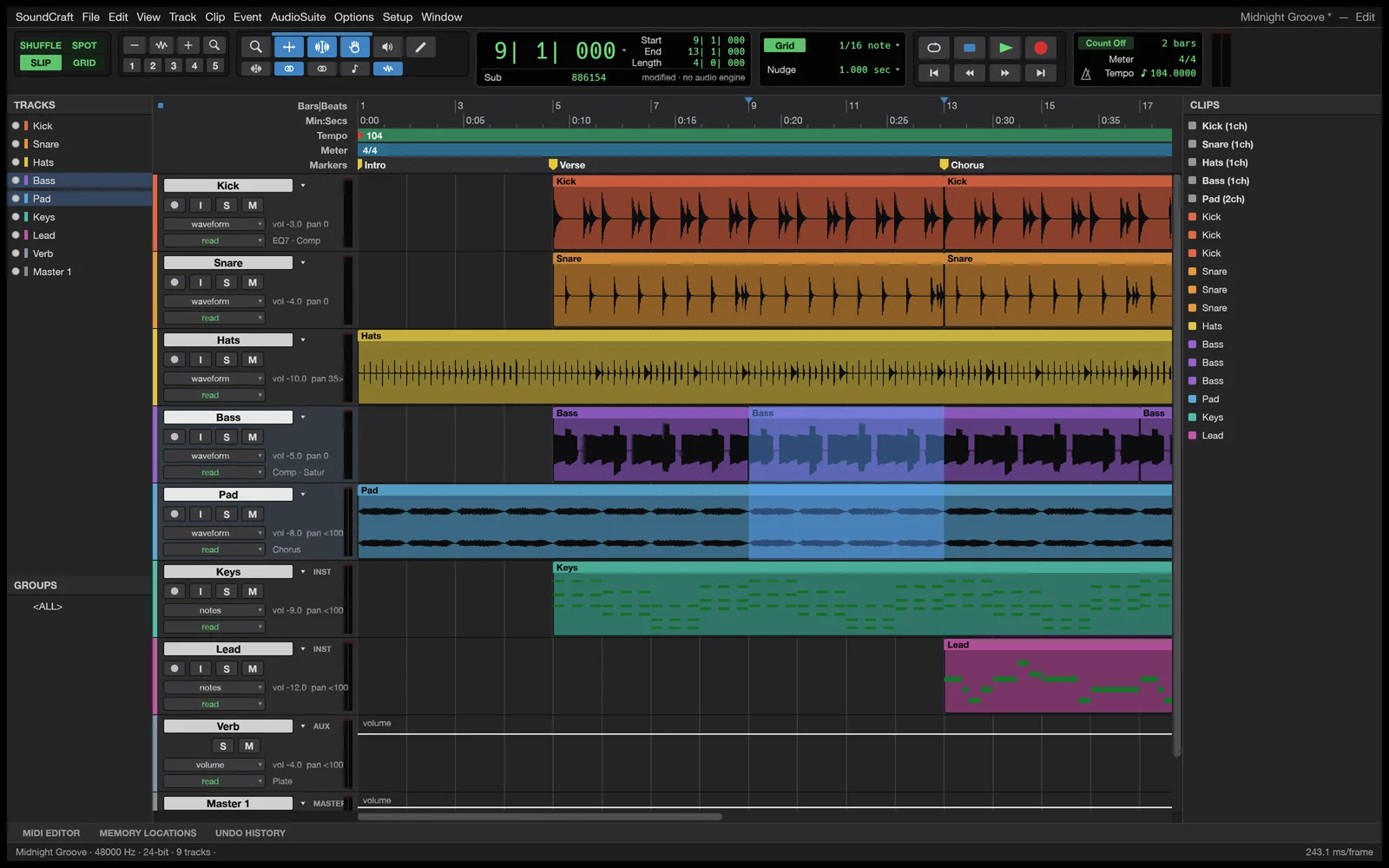
Dedicated Edit and Mix windows, multitrack audio and MIDI, ten inserts and sends per track, surround panning, and offline AudioSuite in a native DAW built from scratch.
Key Features
Dedicated Edit and Mix windows, Shuffle, Slip, Spot and Grid modes, comping playlists, memory locations, and single-key Commands Focus shortcuts.
Ten inserts and ten sends per track, busses, aux inputs, VCAs, routing folders, solo-in-place, and automatic plugin delay compensation.
Write, Touch, Latch and Trim automation passes recorded live for volume, pan, mutes, sends and every plugin parameter.
Built-in EQ, dynamic processors, reverbs, delays, modulation, synthesisers, plus support for loading external CLAP plugins.
Surround panning up to 9.1.6, live speaker rendering, and a dedicated picture track with video playback synchronized to the playhead.
Your Files Stay on Your Device
Zero File Uploads
Microphone input is processed purely locally with no external audio transmission. All processing is computed in your browser using local device memory.
Saving & Exporting
Bounce your mixdown to WAV or MP3, or save the project file (.scraft). Work buffers stay in browser IndexedDB and are exported directly to your computer.
Common Tasks & Solutions
Multi-Track Audio Recording & Editing
Record microphones, arrange audio stems, and trim tracks on an intuitive multi-track timeline.
Podcast Mastering & Voice Polish
Built-in parametric EQ, compression, gate, and normalization to produce broadcast-ready voice recordings.
Export High-Fidelity WAV & MP3
Export stereo masters or individual stems with full 32-bit floating point audio quality.
Frequently Asked Questions
Can I record and edit podcasts in my browser?
Do I need to create an account to edit audio?
Specifications
Companion Creative Applications
Part of the integrated Plasa creative suite. Easily round-trip your assets across these local-first tools:

FilmCraft
Video editorProfessional video editing, rebuilt from scratch in Rust.

EffectCraft
Motion graphics & VFXMotion graphics and visual effects, in pure Rust.

DeckCraft
Presentations & slidesFast, dynamic slide presentations, in pure Rust.