PhotoCraftImage editor in your browser
Image editorThe image editor you already know how to use.
About PhotoCraft
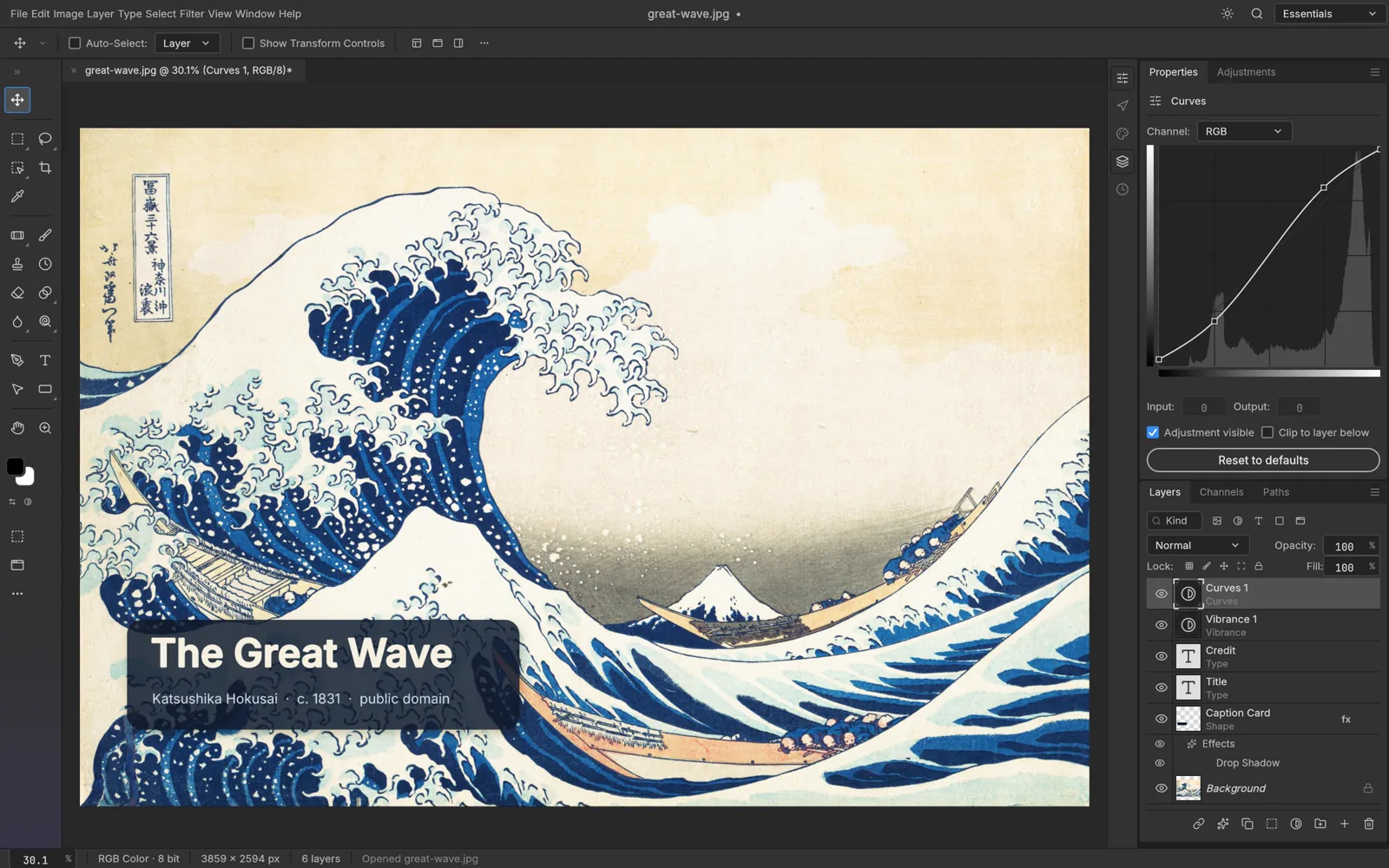
Layers, masks, adjustment layers, layer styles, type, vectors and brushes in a native app written entirely in Rust. Open source, offline, and yours.
Key Features
The menus, shortcuts, panels and tools your hands already know. Productive on day one, no retraining.
Renders on Metal, Vulkan, DirectX 12 and WebGPU. No Electron and no web view, just a fast native compositor.
Opens and saves layered PSD and PSB documents. 134 of 135 real-world test files round-trip byte for byte.
16 adjustment layers, 70+ live-preview filters, smart objects with smart filters, and a full set of layer styles.
8, 16 and 32-bit documents in RGB, CMYK, Lab and Grayscale, with ICC color management and soft proofing.
Your Files Stay on Your Device
Zero File Uploads
Zero cloud transfers. All canvas computations and pixels are rendered 100% on your local machine. All processing is computed in your browser using local device memory.
Saving & Exporting
Use File → Export to save your finished imagery directly to your local file system. Work buffers stay in browser localStorage and are exported directly to your computer.
Common Tasks & Solutions
Edit PSD Files Online with Layers
Open, edit, and export layered Photoshop PSD and PSB files in your browser with full layer mask and style preservation.
Non-Destructive Retouching & Color Grading
Apply 16 adjustment layers including Curves, Levels, Hue/Saturation, and soft proofing with real-time WebGPU acceleration.
Cutout, Background Removal & Masks
Precision brush, magnetic lasso, and vector masks for isolating subjects and creating transparent PNG assets.
100% Private Offline Processing
Edit private or confidential client photos safely. Zero cloud uploads — all pixels render locally in WebAssembly.
Frequently Asked Questions
Can I edit Photoshop PSD files online for free?
Is PhotoCraft really free with no export watermarks?
Do my photos get uploaded to external servers?
Specifications
Companion Creative Applications
Part of the integrated Plasa creative suite. Easily round-trip your assets across these local-first tools:

VectorCraft
Vector illustrationVector illustration, reimagined in pure Rust.
LightCraft
RAW photo developerYour photos. Your pixels. Your machine.

DesignCraft
Page layout & publishingPage layout and publishing, rebuilt in pure Rust.