PdfCraftPDF editor & workflow in your browser
PDF editor & workflowThe open-source PDF workbench.
About PdfCraft
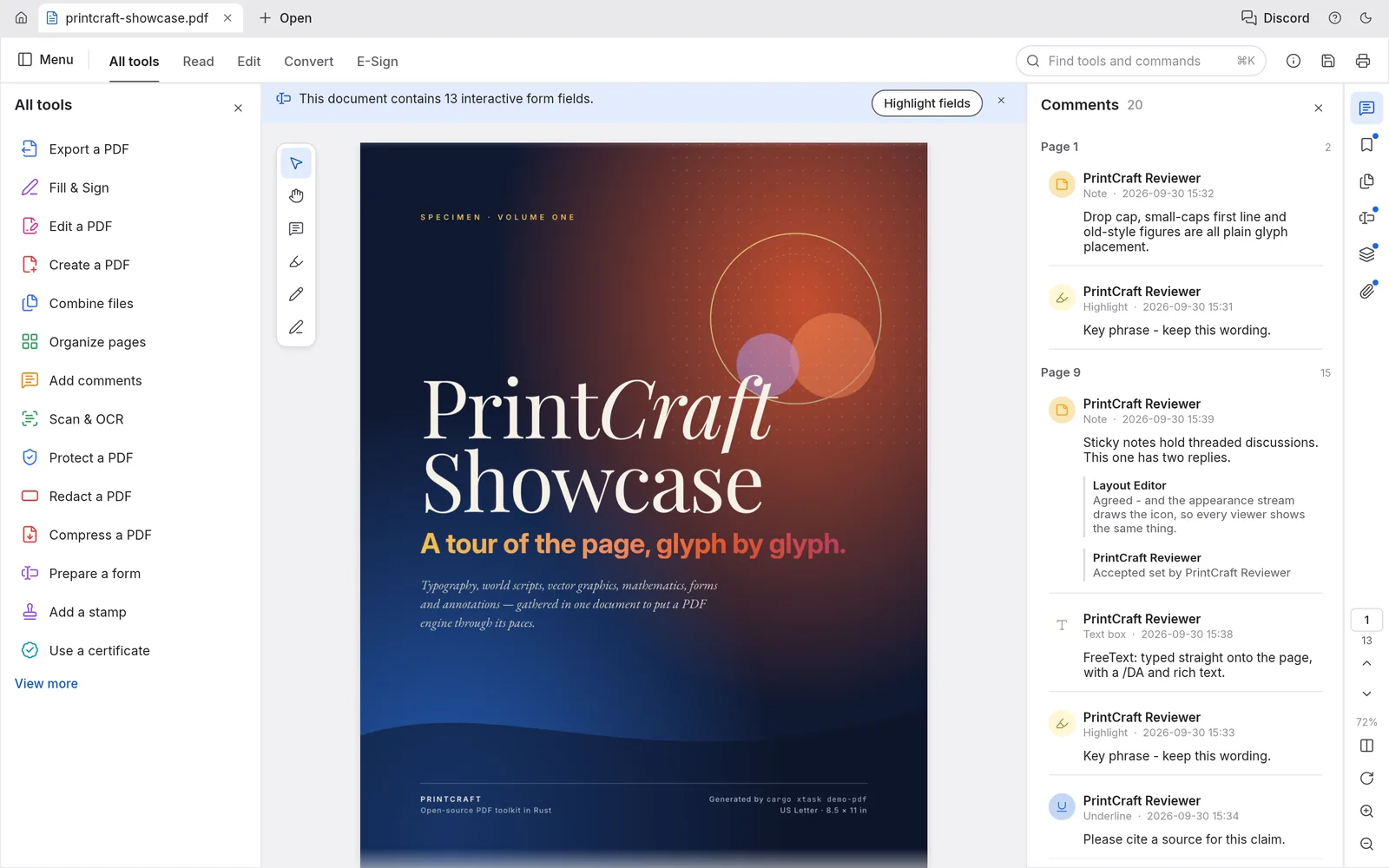
Read, organize, combine, split and secure PDFs in a fast, native app written in Rust from the ground up. No account, no telemetry, no cloud.
Key Features
World scripts, vertical Japanese, color emoji and transparency. Zero crashes across a 983-file test corpus.
Instant find, and text selection that follows the document's real reading order.
Rotate, delete, insert and reorder pages, with deep undo behind every change.
Assemble and break apart documents while keeping links, form fields, layers and bookmarks intact.
Opens everything from RC4 to AES-256 encryption and honors author permissions.
Your Files Stay on Your Device
Zero File Uploads
Confidential document safety: your PDFs never touch any remote server. All processing is computed in your browser using local device memory.
Saving & Exporting
Click Download or Save PDF to download the updated document to your computer. Work buffers stay in browser Memory and are exported directly to your computer.
Common Tasks & Solutions
Edit & Fill PDF Documents Online
Read, search, annotate, and fill out PDF forms without installing heavy desktop PDF software or paying subscriptions.
Merge & Combine Multiple PDFs
Drag and drop multiple PDF documents to merge them into a single organized file while preserving links and bookmarks.
Split, Extract & Reorder Pages
Rotate pages, delete unwanted sheets, extract specific chapters, or rearrange pages with an intuitive card view.
100% Private Client-Side Security
Ideal for sensitive tax documents, contracts, and medical forms: your files NEVER leave your browser or touch remote servers.
Frequently Asked Questions
Can I edit PDFs online without uploading my files to a server?
How do I merge multiple PDF files for free in my browser?
Does PdfCraft place watermarks on saved documents?
Specifications
Companion Creative Applications
Part of the integrated Plasa creative suite. Easily round-trip your assets across these local-first tools:
WordCraft
Word processingA fast, open-source word processor, rebuilt in pure Rust.
DesignCraft
Page layout & publishingPage layout and publishing, rebuilt in pure Rust.
GridCraft
Spreadsheets & analysisFast, native spreadsheets, rebuilt in pure Rust.